> ## Documentation Index
> Fetch the complete documentation index at: https://docs.secally.com/llms.txt
> Use this file to discover all available pages before exploring further.
# Full Scan
> Request a full repository scan via a GitHub issue and review results in GitHub.
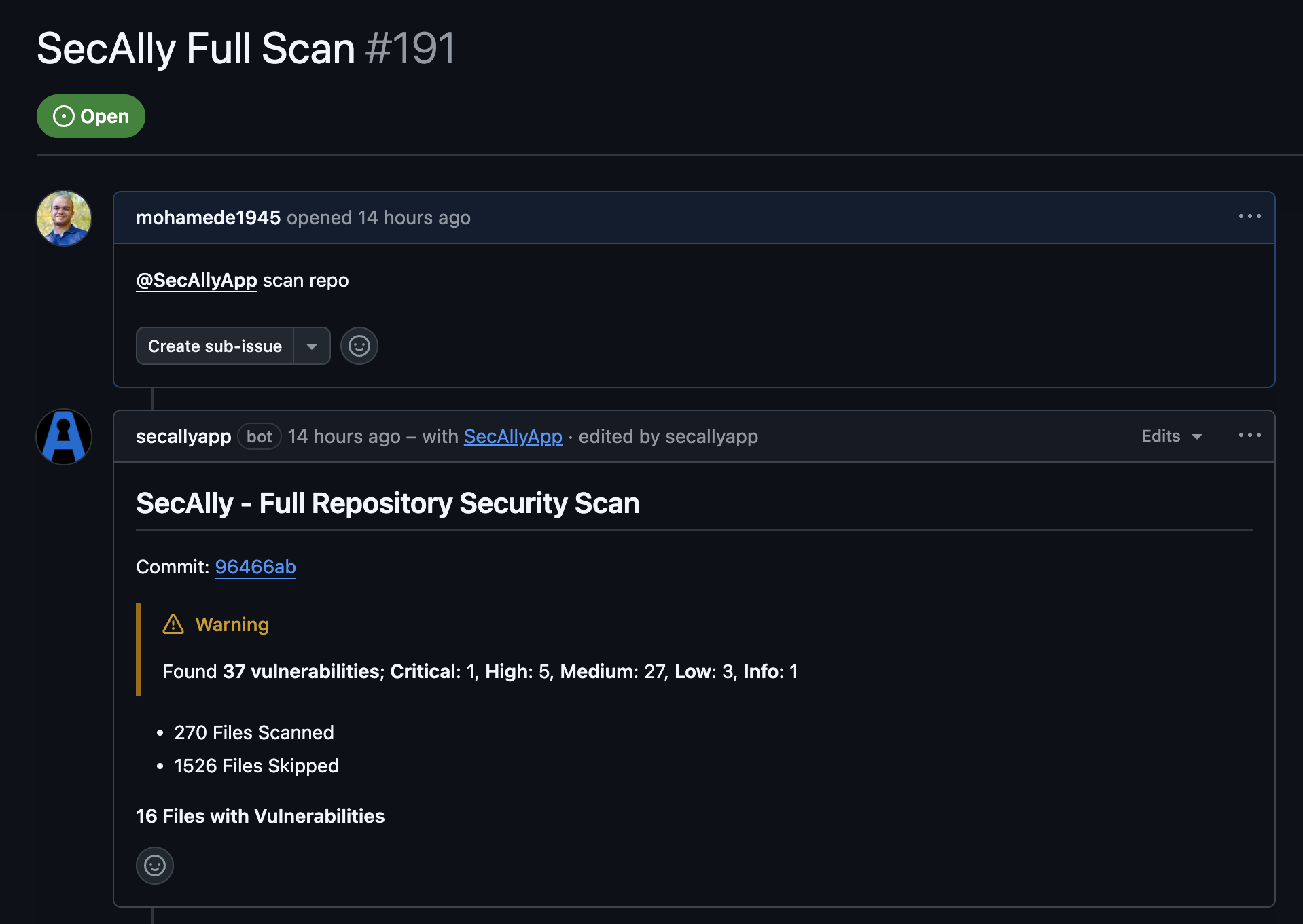
**Full scans** analyze the repository’s default branch (for example, `main`) and post results back to GitHub. Use them when you want a broader view than a PR scan (for example, before a release or after a large refactor).
 ## When to run a full scan
* Once a week
* Before shipping a release to the app store
* After large dependency upgrades or auth changes
* When onboarding a new repository
## How to request a full scan
1. Make sure the repository is **Monitored** in SecAlly.
2. Open a **new GitHub issue** in that repository.
3. Include:
```
@SecAllyApp scan repo
```
in the issue title or description.
## Results and remediation
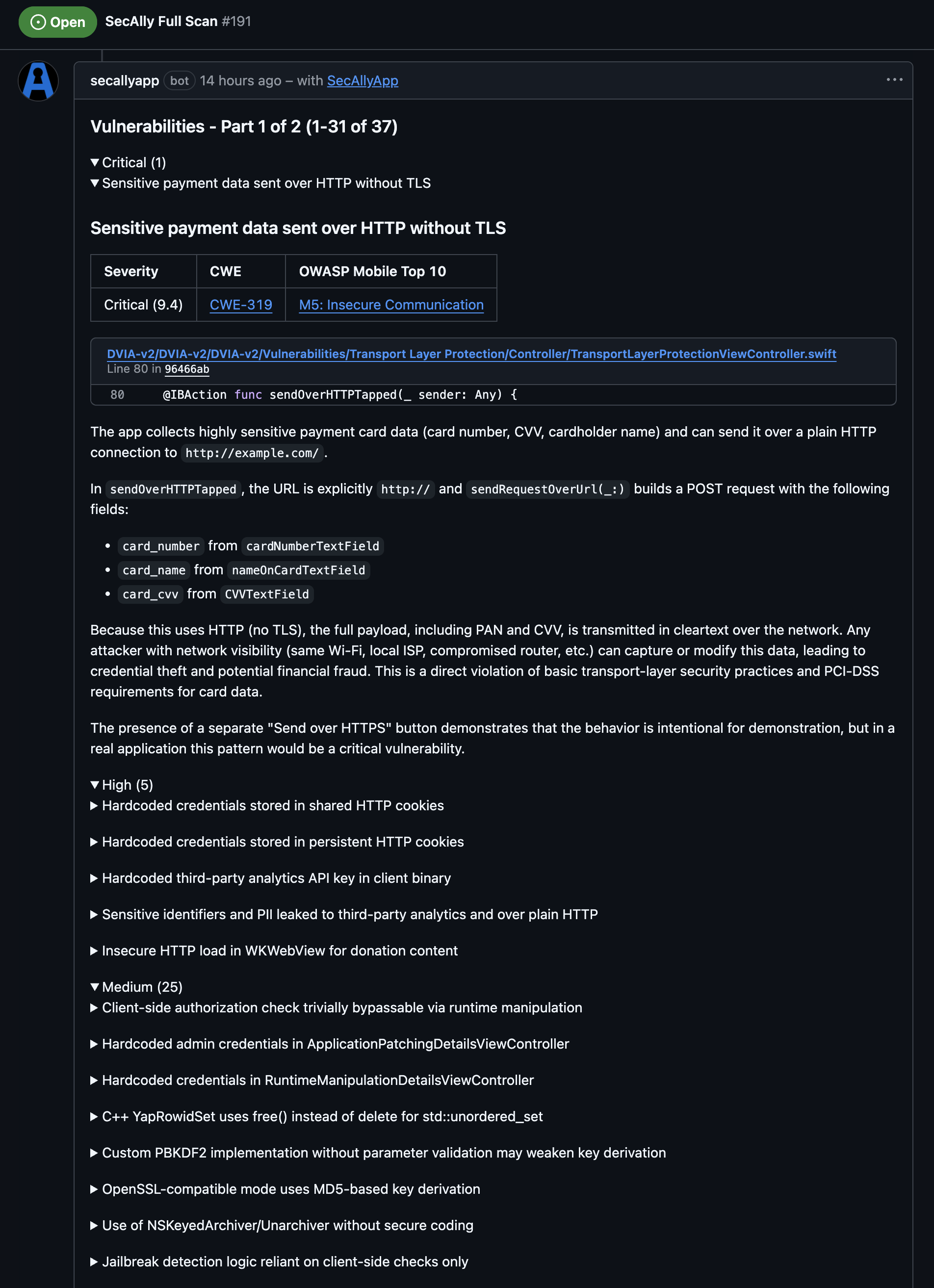
SecAlly posts scan progress and results as **issue comments**. You’ll also see a **GitHub check run** tied to the scanned commit.
Full scans analyze the entire repository. The associated commit is used only for reporting results in GitHub.
## When to run a full scan
* Once a week
* Before shipping a release to the app store
* After large dependency upgrades or auth changes
* When onboarding a new repository
## How to request a full scan
1. Make sure the repository is **Monitored** in SecAlly.
2. Open a **new GitHub issue** in that repository.
3. Include:
```
@SecAllyApp scan repo
```
in the issue title or description.
## Results and remediation
SecAlly posts scan progress and results as **issue comments**. You’ll also see a **GitHub check run** tied to the scanned commit.
Full scans analyze the entire repository. The associated commit is used only for reporting results in GitHub.
 ## Best practices
* Run full scans on a schedule (for example weekly) and before releases.
* Treat the results like a backlog: fix critical issues first, then work down by severity.
## Best practices
* Run full scans on a schedule (for example weekly) and before releases.
* Treat the results like a backlog: fix critical issues first, then work down by severity.