> ## Documentation Index
> Fetch the complete documentation index at: https://docs.secally.com/llms.txt
> Use this file to discover all available pages before exploring further.
# PR Scan
> SecAlly automatically scans pull requests and reports findings back to GitHub.
**PR scans** run when you open a pull request and post results directly to the PR. They’re designed for daily development workflows: catch issues before they merge.
## Prerequisites
* The SecAlly GitHub App is installed for your organization.
* The repository is toggled **Monitored** in SecAlly (see [Onboarding](/onboarding).)
## Triggering a PR scan
1. Open a pull request in a monitored repository.
2. SecAlly creates a GitHub check run and starts analysis.
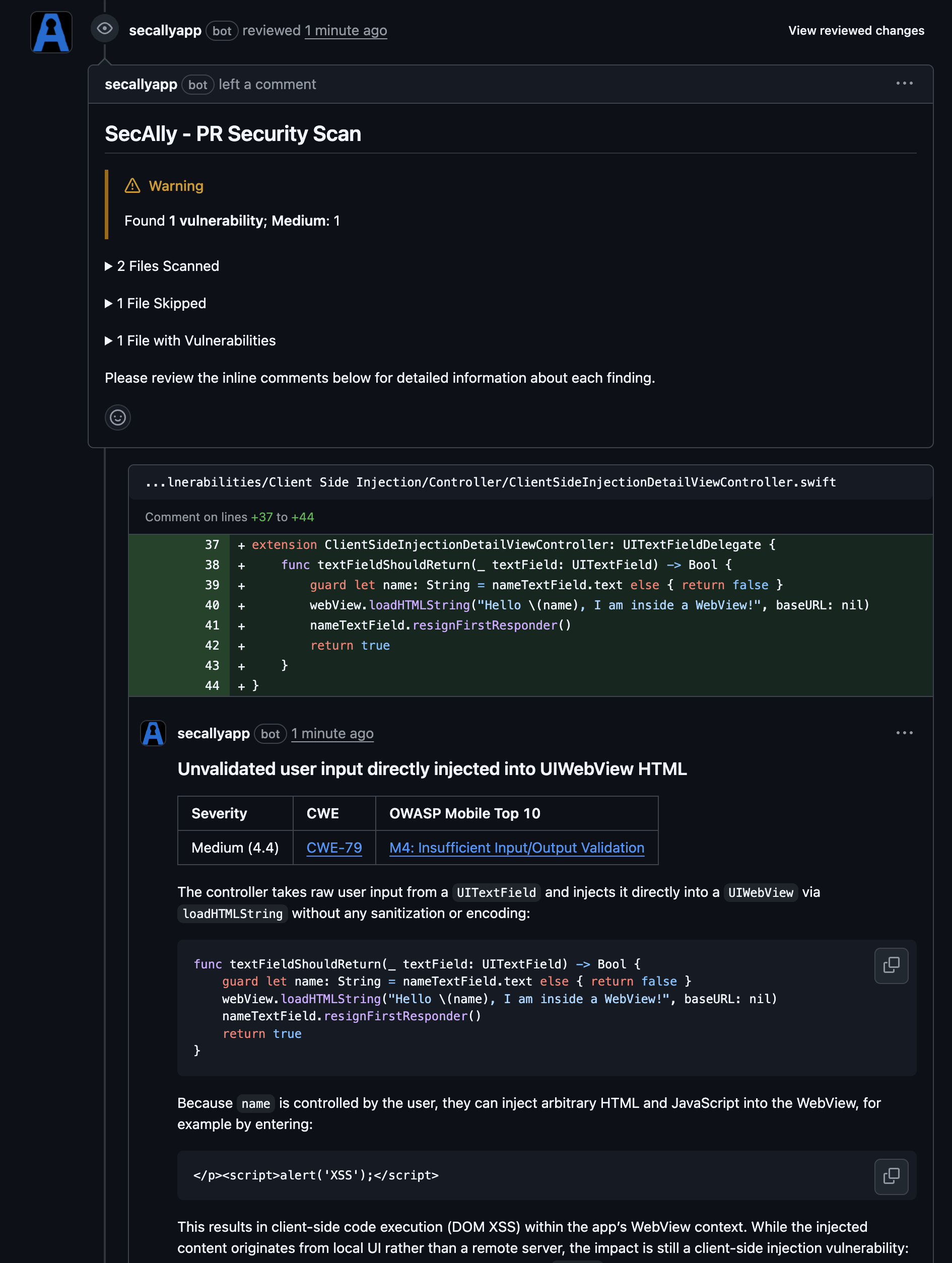
3. Results appear as a PR review with a summary and inline comments.
 ## What gets scanned
PR scans focus on the PR diff and prioritize newly introduced security-relevant changes. For broader coverage, request a [Full scan](./full-scan).
## Troubleshooting
* **No scan activity:** confirm the repository is **Monitored** in SecAlly.
* **No check run or comments:** confirm the SecAlly GitHub App still has access to the repository in GitHub.
## What gets scanned
PR scans focus on the PR diff and prioritize newly introduced security-relevant changes. For broader coverage, request a [Full scan](./full-scan).
## Troubleshooting
* **No scan activity:** confirm the repository is **Monitored** in SecAlly.
* **No check run or comments:** confirm the SecAlly GitHub App still has access to the repository in GitHub.