

main) and post results back to GitHub. Use them when you want a broader view than a PR scan (for example, before a release or after a large refactor).
When to run a full scan
- Once a week
- Before shipping a release to the app store
- After large dependency upgrades or auth changes
- When onboarding a new repository
How to request a full scan
- Make sure the repository is Monitored in SecAlly.
- Open a new GitHub issue in that repository.
- Include:
Results and remediation
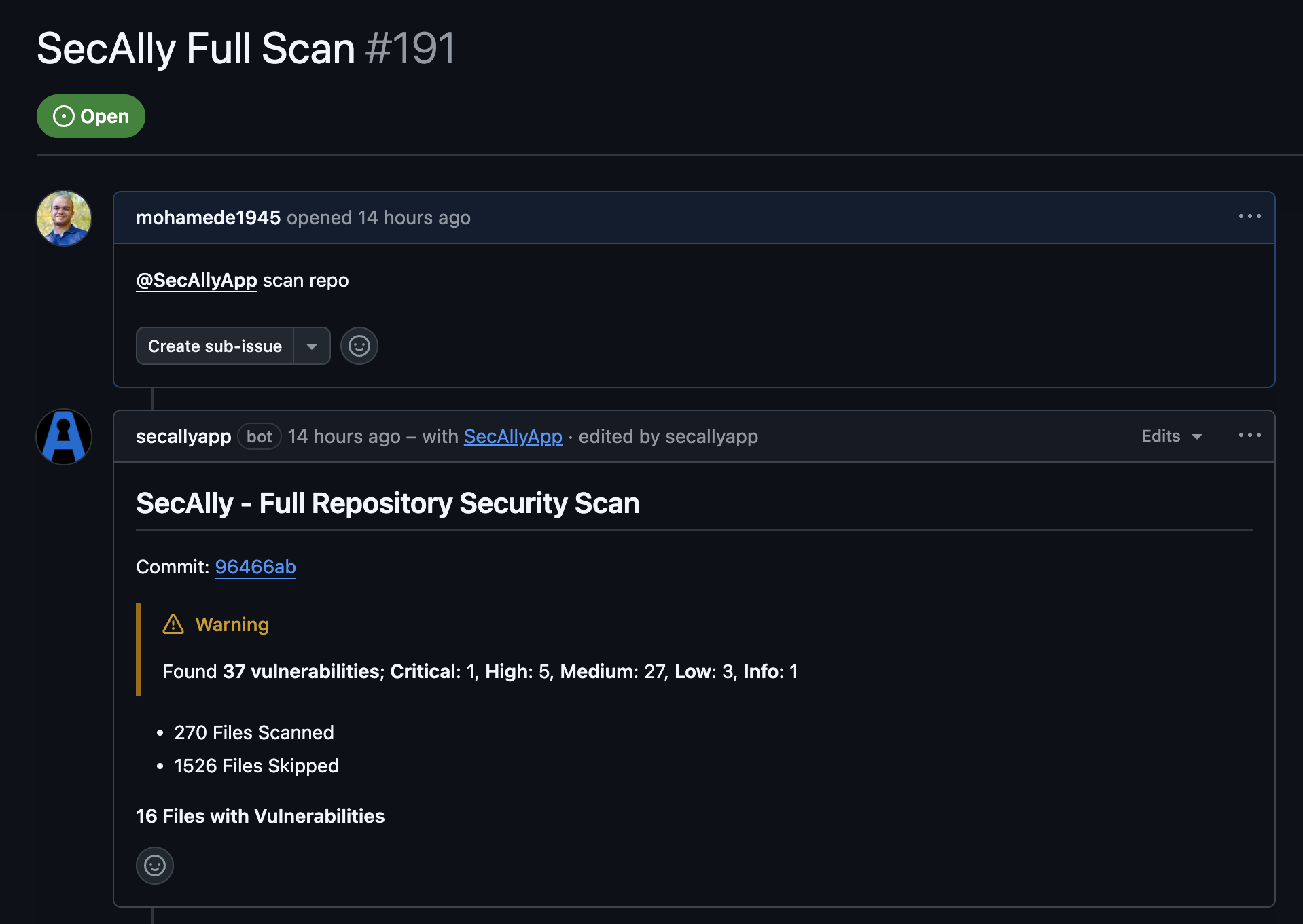
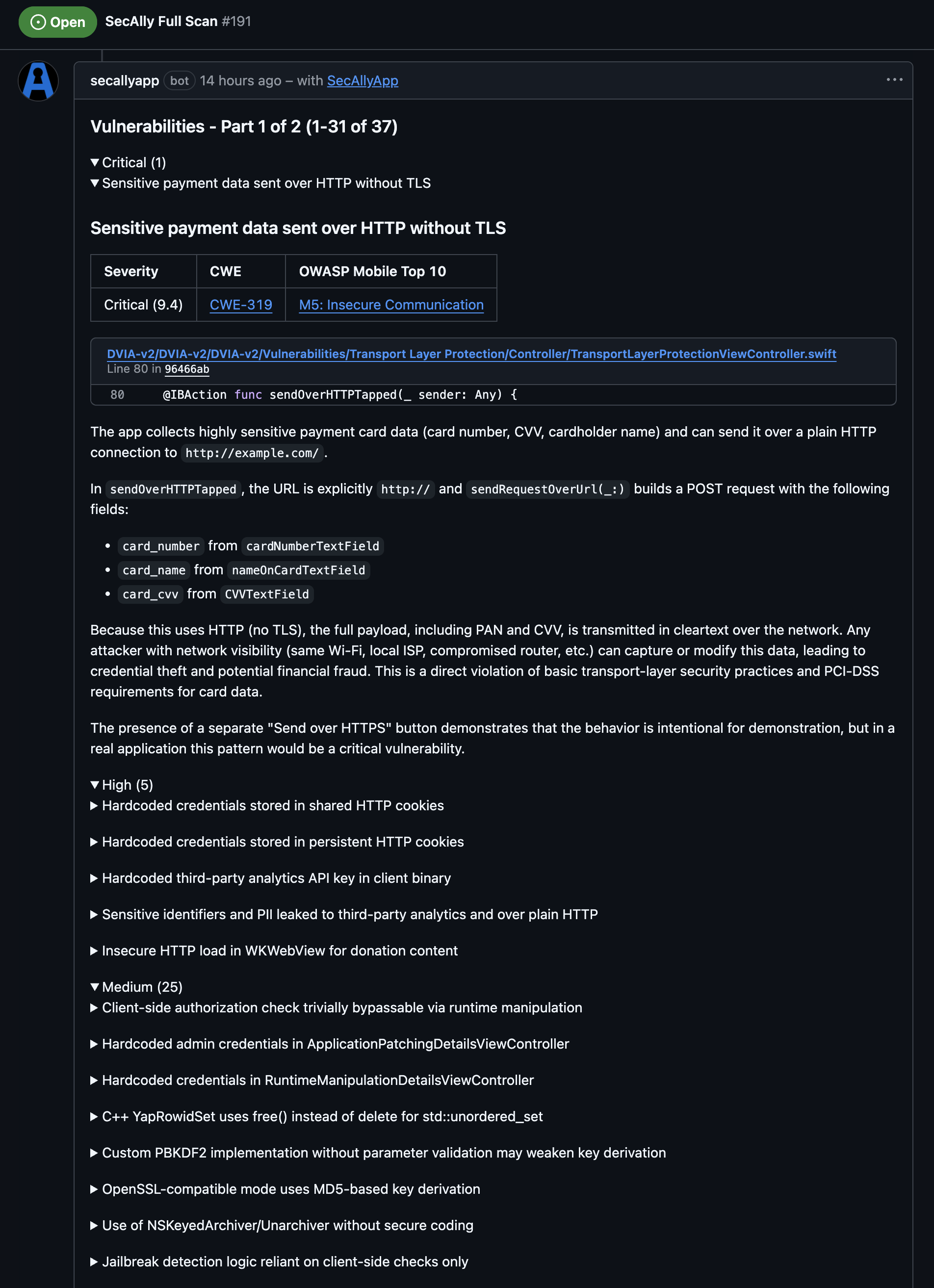
SecAlly posts scan progress and results as issue comments. You’ll also see a GitHub check run tied to the scanned commit.Full scans analyze the entire repository. The associated commit is used only for reporting results in GitHub.
Best practices
- Run full scans on a schedule (for example weekly) and before releases.
- Treat the results like a backlog: fix critical issues first, then work down by severity.